
 By
By 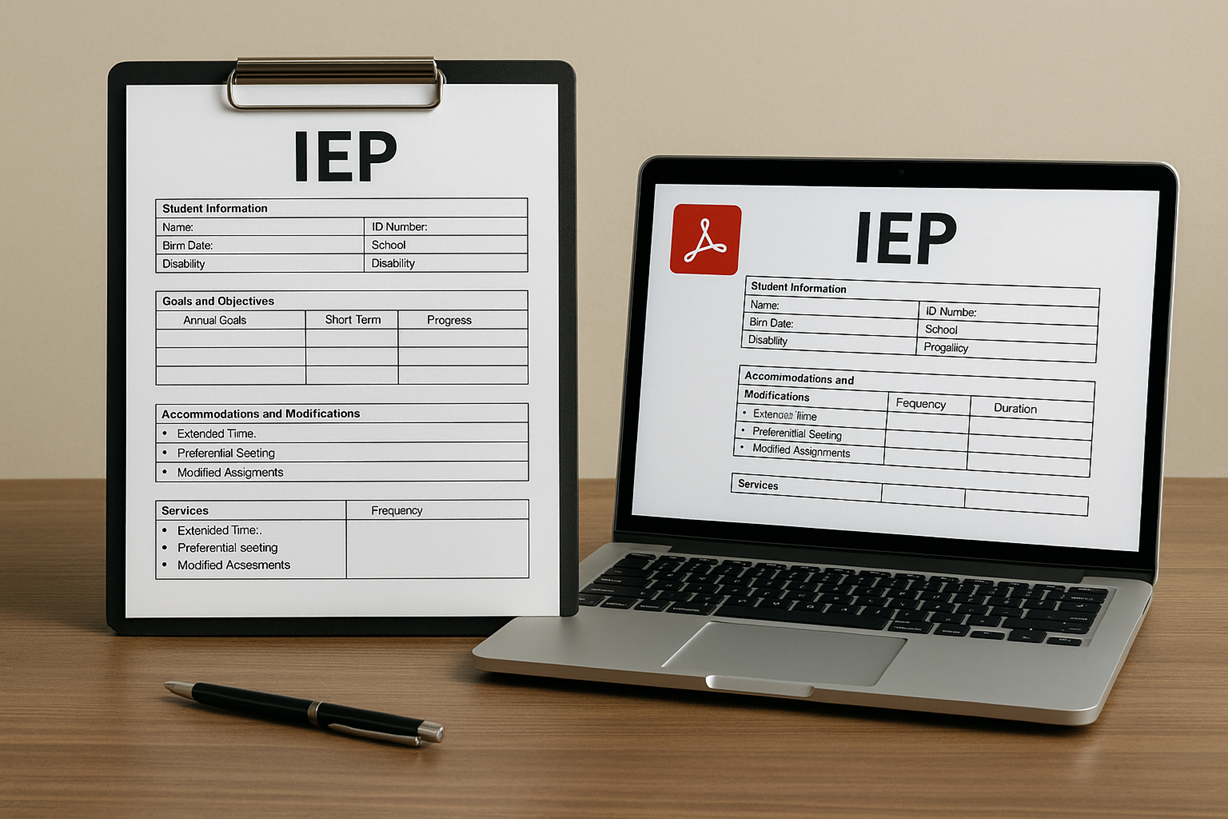
Special education teams rely on Individualized Education Programs (IEPs) to ensure that students with disabilities receive appropriate support and accommodations. IEPs must be clear, detailed, and legally compliant—making document organization extremely important. As schools shift toward digital systems, PDF-based IEP files have become the preferred format for storing, sharing, and reviewing important student information. Many educators use tools available on platforms like PDFmigo.com to merge, split, and organize these documents into structured packets that improve collaboration and support student success.
What an IEP Includes and Why Organization Matters
An IEP is a comprehensive legal document that outlines a student’s educational needs and the specific services required to support their learning. A well-structured IEP typically includes:
- Student background and disability classification
- Current performance levels
- Annual goals and short-term objectives
- Accommodations and modifications
- Behavior intervention plans (if needed)
- Service schedules (occupational therapy, speech therapy, etc.)
- Progress reports
- Parent communication logs
Because IEPs often require multiple documents—evaluations, progress notes, assessments, meeting summaries—organizing everything in one clean PDF improves accessibility and reduces confusion.
Why PDF Is the Preferred Format for IEP Files
IEP documents must maintain consistent formatting and be readable on all devices, including those used by teachers, administrators, specialists, and parents. PDF files ensure:
- Identical layout across devices and operating systems
- Secure storage for sensitive information
- Easy long-term archiving
- High print quality for meetings
Special education teams often combine evaluations, test results, and accommodations using tools that allow them to merge PDF files into a single comprehensive IEP packet.
IEP Meetings and the Need for Clean Documentation
IEP meetings bring together general education teachers, special education teachers, parents, counselors, therapists, and administrators. These meetings rely heavily on clear, organized documentation. PDF IEP packets make it easier for teams to reference:
- Goals and objectives
- Updated evaluation reports
- Behavior and progress data
- Prior meeting notes
If a certain section is not needed for a particular meeting, staff can extract only the relevant pages using tools that allow them to split PDF.
Supporting Collaboration Among Educators
IEPs involve multiple professionals. PDF files allow all parties to access the same information without formatting issues. Teachers can view accommodations directly on their device, ensuring they implement required strategies such as:
- Extended time on assignments
- Preferential seating
- Modified reading levels
- Behavior plans
- Alternative assessments
PDF documents also allow specialists to annotate pages digitally or attach additional reports without disrupting the overall format.
Ensuring Legal Compliance and Security
IEPs are legally binding documents, and errors in formatting or missing information can lead to compliance issues. PDF files help districts:
- Secure confidential student data
- Embed digital signatures
- Prevent unauthorized editing
- Store files for required legal retention periods
Many states require IEPs to be maintained for years, sometimes until the student reaches adulthood. PDF is ideal for long-term storage because it resists corruption across software updates.
Using PDF IEPs for Progress Monitoring
Teachers and specialists regularly update progress on IEP goals. PDF progress reports allow for:
- Easy comparison across grading periods
- Clear formatting of numerical data and written comments
- Quick sharing during parent meetings
- Consistent documentation for future meetings
Some schools combine progress reports into quarterly or annual PDF packets to create a complete record of student growth.
Integrating IEP PDFs With School Information Systems
Modern school systems allow PDF IEPs to be uploaded directly into student profiles. This ensures:
- Instant access for authorized staff
- Accurate records during transfers
- Consistent updates across platforms
Because PDFs maintain formatting over time, they eliminate the risk of distorted or missing information when files are opened years later.
Parent Communication and Transparency
Parents receive copies of the IEP during meetings and often request digital versions later. PDF IEPs make it easy for families to:
- Review accommodations
- Understand goals and services
- Track updates between meetings
- Share information with outside providers
Clear, consistent documentation builds trust and promotes collaboration between schools and families.
Archiving IEP Records
IEPs must be stored for long periods. PDF archiving ensures:
- Files remain readable over time
- Content cannot be altered accidentally
- Documents are easy to retrieve for audits or transfers
- Special education departments maintain compliance
Some schools create yearly IEP binders in PDF format to simplify storage and reference.
Conclusion
IEP documentation is essential for supporting students with special needs. By using PDF files, schools ensure clarity, accuracy, and long-term accessibility. Tools that help educators merge PDF and split PDF make it easier to organize and manage comprehensive IEP packets that strengthen collaboration and improve student outcomes.













Comments